A certified prompt behind every agent step
AI agents across the InsightLake suite ask InsightPrompts for their prompts by name and label. What an agent runs in production is the version a second person certified and released to @prod, and every step records which version that was.
How an agent reads its prompt
Each product names its prompts with its own prefix. At every step the agent asks for the prompt under a label, by default @prod, through the InsightPrompts SDK with an app token.
# one resolver per product, with its own prefix
prompts = PromptResolver(
    prefix_env="UW_PROMPTS_PREFIX", default_prefix="uw.")

# at a step: released content over the product's own row
p = prompts.overlay("clearance.recommendation",
                    local_row)

p["prompt_source"]   # "insightprompts" or "db"
p["prompt_version"]  # e.g. "1.1.0"
From the suite’s shared agent package. Settings: INSIGHT_PROMPTS_URL, an app token, and INSIGHT_PROMPTS_LABEL (default @prod).
Name and label
The agent gets the released system prompt, template, few-shot examples, variables, model and parameters.
Never a failed run
Not configured, unreachable or nothing released: the agent uses its product’s own copy, marked db.
Which version ran
Name, version and source are kept for the step and carried on its trace.
No redeploy
Move @prod forward or back; agents follow on their next call. Answers are cached for a minute.
Agents and copilots that read their prompts here
Products in the InsightLake suite resolve their agents’ prompts through InsightPrompts, each under its own prefix. A product’s existing prompts can be moved in as first versions in review, so they go through certification like any other.
- InsightUWUnderwriting workbench agents
uw. - InsightCedeCeded reinsurance agents
cede. - InsightPulseCompany and market intelligence
pulse. - InsightXtractDocument extraction
xtract. - InsightKYCAI Assist copilot
kyc. - InsightAMLAI Assist copilot
- InsightCreditAI Assist copilot
- InsightContractsAI Assist copilot
- InsightSourceAI Assist copilot
- InsightCallIQAI Assist copilot
- InsightAIShieldAI Assist copilot
- InsightDealDesk, InsightProofing, InsightDueDiligenceBroker suite copilots
Three places the product itself uses a model
Each one prepares something for a person. None of them certifies, approves or releases anything.
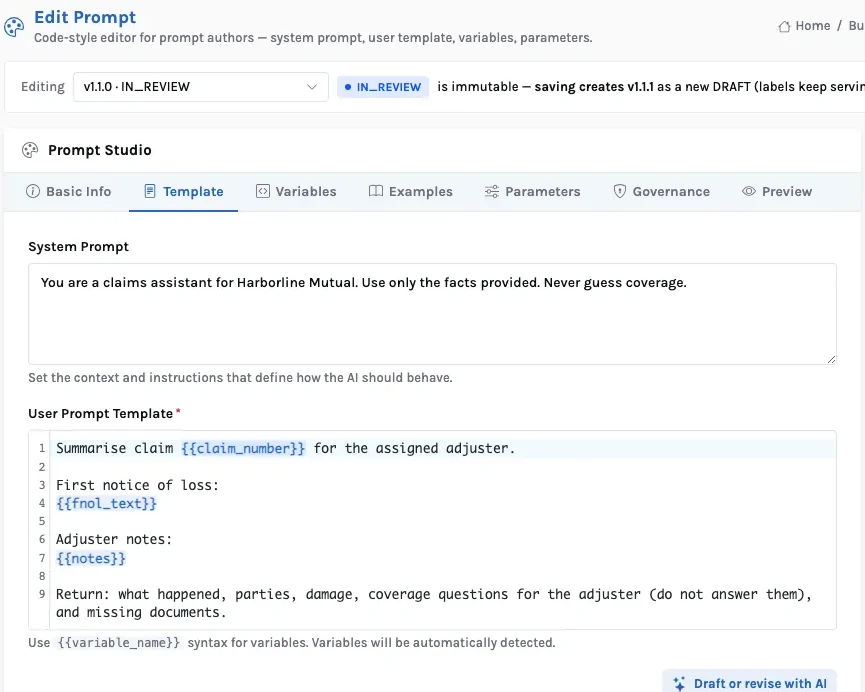
Draft or revise a prompt from a brief
Describe what the prompt should do in plain language and the model drafts the system prompt and template, with the variables it needs. The result is a draft version: the author refines it, and it still goes through test, review and certification.
- Starts from a brief, or revises the version you are editing
- Variables in
{{name}}form are detected automatically
Score every output against the expected answer
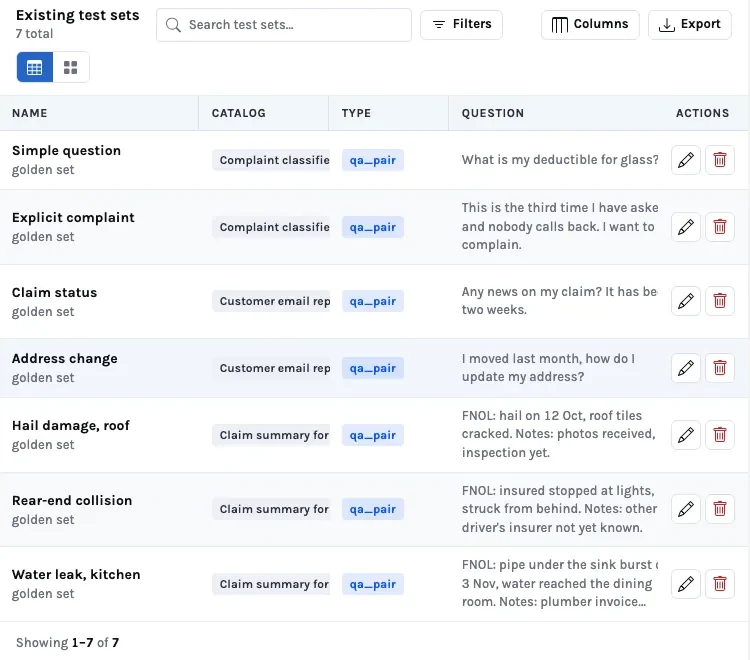
A golden-set run sends each question to the version’s own model, then a judge model grades the output for relevance, accuracy and coherence with a written rationale. The judge’s own instructions are a prompt in the registry, released like any other.
- The judge model is pinned, not left to a provider default
- Each generation and judge call is traced with its tokens and cost
- The latest score feeds the
@prodregression gate
Ask about the prompt, version or evaluation on screen
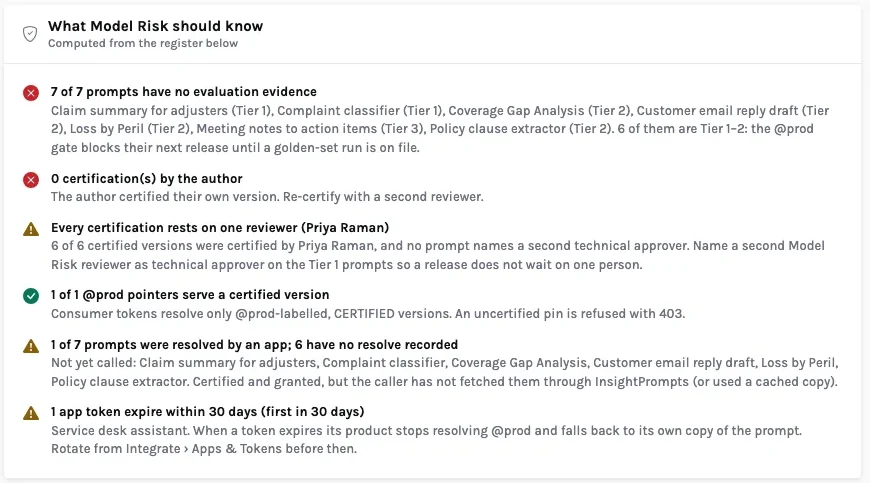
The AI Assist panel on the right edge answers questions about the record you are looking at. It reads through read-only tools as the person asking, so it sees exactly what the screen may see, cites what it read, and checks every figure in its answer against the tools. It never acts.
- No model configured: it answers with the record’s facts, read directly
Models prepare. People decide what agents run.
Certification is a personA version is certified by someone other than its author, and only certified versions reach @qa or @prod.
Release is a personMoving @prod is approved by someone other than the author, with a reason, and refused if the evaluation regresses.
Bad outputs become issuesAnyone can flag an output; the input and output are frozen as evidence and the issue is resolved with a named version.
Model risk sees it allWho wrote each prompt, who certified it, which apps may call it and what evidence exists, on one page.