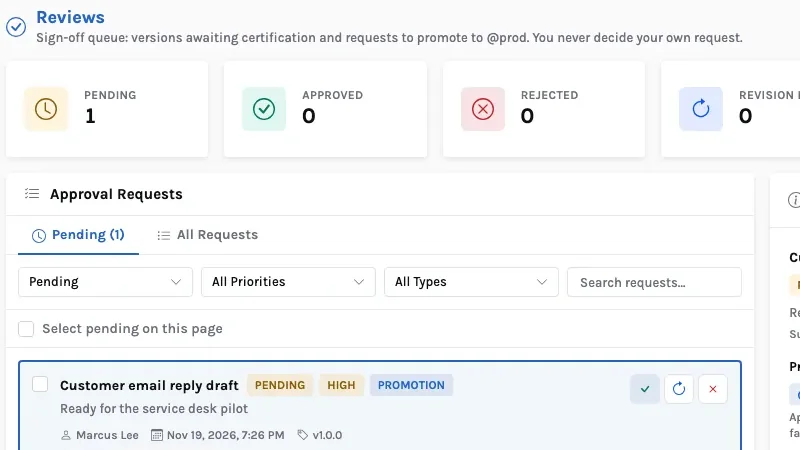
InsightPrompts separates two questions that teams often mix up. Is this wording good enough? is answered by certification. Which wording does production use? is answered by environment labels. Keeping them apart is what makes rollback instant and the audit trail readable.
Versions are immutable once they leave draft
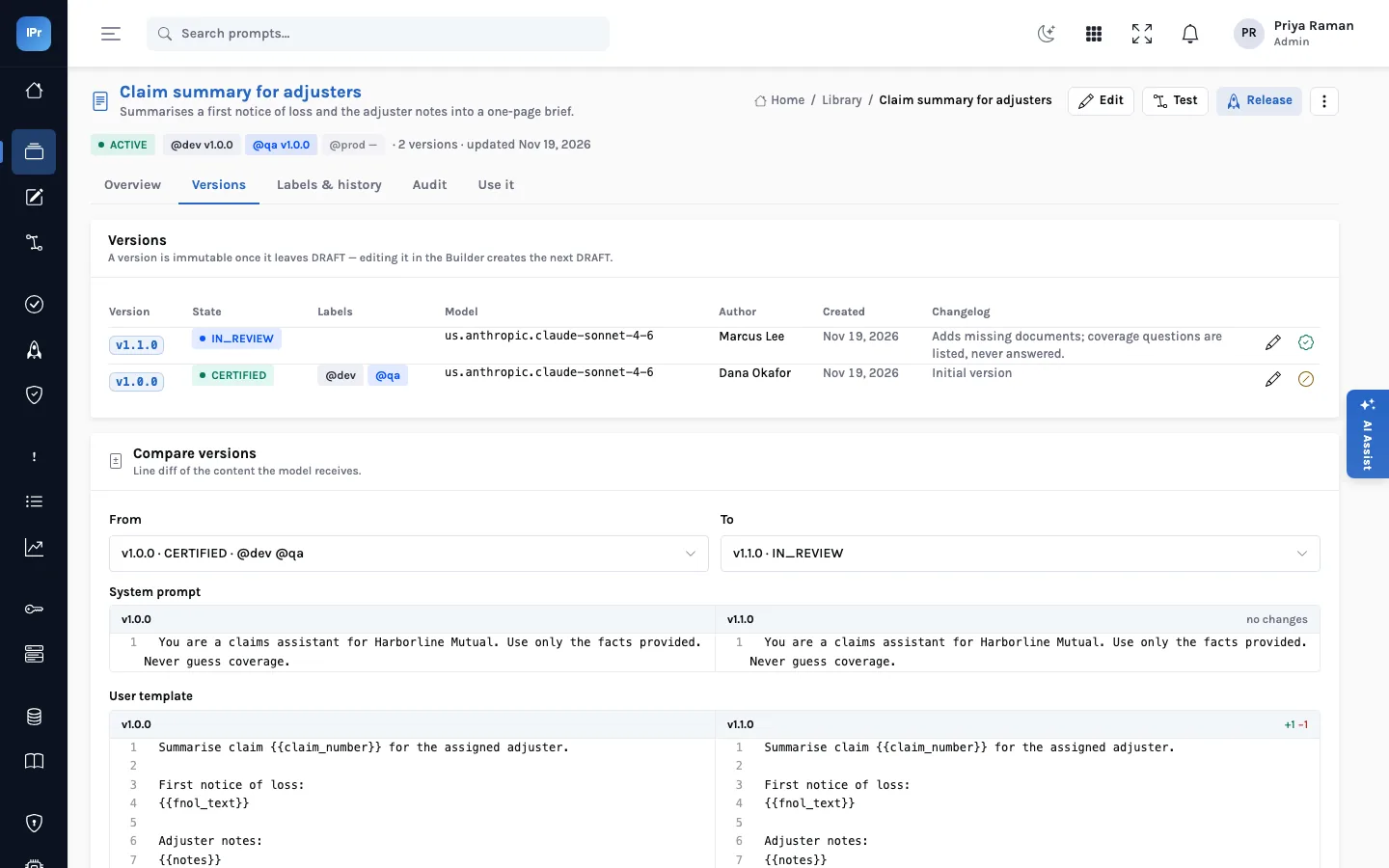
A prompt version holds everything the model receives: the system prompt, the template with its variables, few-shot examples, model provider and model id, a fallback model and parameters such as temperature and max tokens. While a version is a DRAFT its author can edit it. Once it is submitted it is frozen. Saving a change to a frozen version in the Studio creates the next draft instead (the Studio says so above the editor: "saving creates v1.1.1 as a new DRAFT").
That rule has a practical consequence: a version number is a fact. If a trace says an answer came from v1.0.0, the exact text that produced it is still there, and the Versions tab can diff it against any other version, system prompt and template side by side.
The lifecycle
Each move is one validated transition, recorded with who made it and why:
| Move | Who may make it |
|---|---|
| DRAFT → IN_REVIEW (submit) | The author |
| IN_REVIEW → APPROVED, APPROVED → CERTIFIED | An admin, the prompt's technical approver, or a project owner or editor, and never the version's author |
| IN_REVIEW → DRAFT (revision requested) | A reviewer, or the author taking it back |
| CERTIFIED → DEPRECATED / RETIRED | Someone allowed to certify |
The "never the author" rule is enforced in the API, not just hidden in the interface: an author who calls the approve or certify
endpoint on their own version gets a 403. The prompt's detail page shows the result as a small chain, author → reviewer and
certifier → released to @prod, with a "separation of duties held" marker when two different people were involved.
Labels: what each environment serves
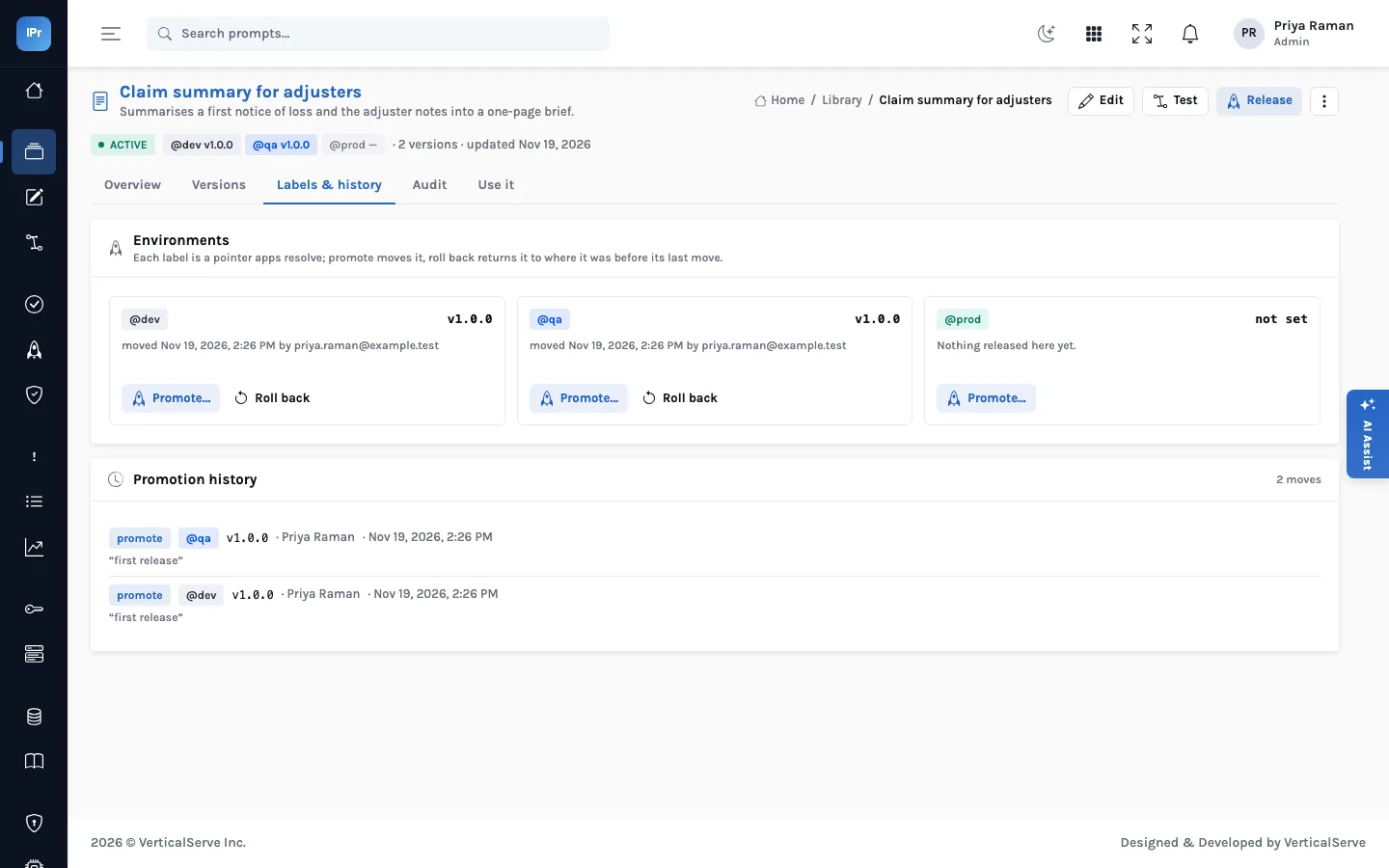
There are three canonical labels: @dev, @qa and @prod. A label is a pointer to one
version. Promoting moves the pointer; nothing is copied. The gates differ by label:
- @dev can point at any version that is not deprecated or retired.
- @qa and @prod need a CERTIFIED version.
- @prod adds separation of duties and an evaluation regression check, covered in The @prod gate.
A promotion is refused if the label already points at that version, so the history only contains real moves.
Rollback walks back, it does not toggle
Rolling back a label undoes its most recent promotion that has not already been undone. A second rollback goes one step further
back. This stack behaviour matters on a bad day: if v1.2 replaced v1.1 which replaced v1.0, two rollbacks take you to v1.0, rather
than bouncing between the last two versions. A rollback runs the state checks (the target must still be certified for
@qa and @prod, and not deprecated or retired), so you cannot roll @prod back onto a version that has
since been retired. It skips separation of duties and the evaluation check, because it restores a version that already served.
Every promotion and rollback writes a promotion event and an audit record. The prompt's Audit tab and the organisation-wide Audit log show them alongside edits, certifications and token changes.
What applications see
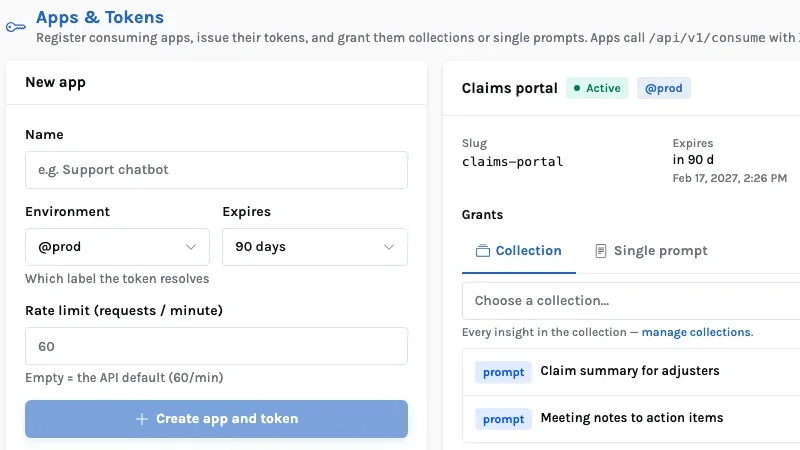
Applications never ask for "the latest version". They call the consume API with an app token that is bound to one label, and
receive what that label points at, provided the version is certified. A token for @prod asking for a prompt that has no
@prod label gets a "not released to prod" answer. The details are in
How applications call a released prompt.
A worked example: three versions, one bad week
Take a made-up prompt that drafts replies to customer emails. v1.0.0 is certified and serves all three labels. The author writes
v1.1.0, which shortens the replies, and a second person certifies it. The technical approver moves @dev and then
@qa to v1.1.0 so the application team can try it, while @prod stays on v1.0.0. After an evaluation that scores no
worse than v1.0.0, @prod moves to v1.1.0. A week later v1.2.0 adds a closing line and goes through the same path.
Then a complaint arrives about v1.2.0. One rollback of @prod returns it to v1.1.0; if the problem turns out to be older,
a second rollback returns it to v1.0.0. At each step the history records the move, the person and the reason, and the labels for
@dev and @qa are untouched unless someone moves them too. Nothing was copied or rebuilt: each step was a pointer
moving between versions that already existed.
Rules that are easy to miss
- A draft that a label serves is locked.
@devmay point at a draft, but while it does, editing that draft is refused with a 409: move or roll back the label first. What a label serves never changes under it. - Version numbers. When you save a change to a frozen version the next draft gets the next patch number (1.1.0 becomes 1.1.1). A new version can also be created with an explicit number, for example when a change deserves 1.2.0; a number that already exists for the prompt is refused.
- Retiring a whole prompt is refused while anything still points at it: a label, an insight bundle that uses it, or an open approval request. The API returns the list, so you know what to clean up first.
- Subscriptions. People, teams and apps can subscribe to a prompt for new certified versions, deprecations, flags and
changes to what
@prodserves. Alerts go to Slack when a Slack token is configured; email is not wired yet, so email alerts are only written to the server log.
How to decide when to certify and when to promote
Because the two steps are separate, teams can choose how close together they are. A checklist that works for most:
- Certify when the wording has been read by someone other than the author and passes its golden set.
- Promote to
@qaas soon as it is certified, so the calling team tests against the exact version that will ship. - Promote to
@prodwhen the calling team is ready, not when the reviewer happens to be free. - Deprecate an old certified version once nothing should pin it any more; consumers that still call it get deprecation headers before it is retired.
Frequently asked questions
Can an administrator certify their own version in an emergency?
No. The "never the author" rule has no admin exception, for certification or for promotion to @prod. Plan for at least two
people who can certify each important prompt.
Is a label move instant for applications?
The next consume call resolves the new version. Applications that cache the fetched prompt, as the Python client does for a configurable number of seconds, see it when their cache expires.
Can two people move the same label at once?
Label moves for one prompt are serialised in the database, so two simultaneous promotions cannot both win; the second one is refused and can be retried.
In short
- A version number always means the same text and settings.
- Certification is a second person's verdict on quality.
- Labels are the release: moving one is a deploy, moving it back is a rollback.
- Everything is recorded, so "what did production say on the 4th, and who approved it?" has an answer.